How to Productize Web Design: A Step-by-Step Guide

How to Productize Web Design: A Step-by-Step Guide
Productizing web design – transforming custom projects into repeatable, scalable offerings – is a strategic move for growth, allowing designers to focus on higher-value work and build a more sustainable business. It involves creating standardized packages of web design services, streamlining the process, and leveraging systems to deliver consistent quality efficiently. This detailed guide provides a step-by-step roadmap for successful web design productization.
1. Identify Your Niche & Target Audience:
Before diving into packages, define your ideal client. General web design rarely thrives in a productized model. Specialize! Consider niches like:
- Small Business Websites: Targeting restaurants, local shops, or professional services.
- E-commerce for Specific Products: Focusing on dropshipping stores, handmade goods, or specific product categories (e.g., pet supplies).
- Landing Pages for Lead Generation: Designing high-converting landing pages for marketing campaigns.
- Membership Sites: Crafting platforms for online courses or exclusive content.
- Service-Based Businesses: Websites tailored for consultants, coaches, and freelancers.
Understanding your target audience informs your package offerings, pricing, and marketing efforts. Analyze their needs, pain points, technical capabilities, and budget constraints. Conduct market research; survey potential clients, analyze competitor offerings within your niche, and identify unmet needs.
2. Define Your Core Packages:
Based on your niche research, develop tiered packages with clearly defined deliverables. Avoid overwhelming clients with endless options; focus on 2-4 packages that address common needs. Here’s a breakdown of potential package components, categorized by level (e.g., Basic, Standard, Premium).
- Basic Package (Entry-Level):
- Website Design: A pre-designed template customization (e.g., with your brand colors and fonts) focused on functionality.
- Responsive Design: Ensuring the website adapts to different screen sizes (desktop, tablet, mobile).
- Content Integration: Populating the site with provided content (text and images). Limited content creation.
- Basic SEO Optimization: Keyword research and on-page optimization with limited scope.
- Domain Connection: Connecting the client’s domain name to the website.
- Hosting Setup: Assisting with initial hosting configuration.
- Limited Support: Basic troubleshooting for a defined period.
- Timeline: 2-4 weeks.
- Standard Package (Mid-Tier):
- Custom Website Design: A more bespoke design tailored to the client’s brand identity.
- Responsive Design: Advanced responsive design adjustments for optimal viewing.
- Content Creation: Up to 2-3 pages of original content (written copy and imagery).
- SEO Optimization: Comprehensive on-page SEO including meta descriptions, alt text, and internal linking.
- Google Analytics Integration: Setting up and configuring Google Analytics tracking.
- Basic Marketing Integration: Integration with email marketing platforms (e.g., Mailchimp).
- Social Media Integration: Social media sharing buttons and streamlined social media profile linking.
- Ongoing Support: X hours of support per month for a specified period.
- Timeline: 4-8 weeks.
- Premium Package (High-End):
- Fully Custom Design: A completely original design from scratch, crafted to reflect a unique brand aesthetic.
- User Experience (UX) Design: Focus on user flow, usability, and conversion optimization.
- High-Quality Content: Comprehensive website copy, photography, and/or video content.
- Advanced SEO: In-depth SEO strategy, including keyword research, competitor analysis, and content optimization.
- Conversion Rate Optimization (CRO): A/B testing and continuous optimization to improve results.
- Marketing Automation Integration: Integrating with marketing automation platforms (e.g., HubSpot).
- Ongoing Maintenance & Support: Comprehensive maintenance, updates, security monitoring, and dedicated account management.
- Timeline: 8-12+ weeks.
3. Develop Standardized Processes & Systems:
Productization hinges on repeatable processes. This involves creating documentation and systems for every stage of the web design process.

- Client Onboarding: A standardized intake process with a questionnaire, discovery call script, and clear expectations document.
- Design Brief Template: A comprehensive template to gather necessary information from clients.
- Design Workflow: Defined stages: Discovery, Wireframing, Design Mockups, Client Review, Revisions, Development, Testing, Launch.
- Project Management System: Use tools like Asana, Trello, or Monday.com to track progress, assign tasks, and manage deadlines.
- Communication Protocol: Establish clear communication channels and response times with clients (e.g., weekly status updates, designated points of contact).
- Design System: A library of reusable UI components (buttons, forms, icons) to ensure consistency and speed up design. Consider accessibility standards (WCAG).
4. Create Templates & Design Systems:
Templates and design systems are crucial for efficiency and maintaining brand consistency.
- Website Templates: Develop a library of customizable website templates for different niches. Structure them with clearly defined sections and modules.
- UI Kits: Create UI kits with pre-designed elements (buttons, forms, icons, navigation) that can be easily incorporated into projects.
- Style Guides: Document brand guidelines (colors, fonts, imagery) for consistent application across all designs.
- Document Libraries: Centralize all project-related documents (briefs, mockups, contracts) in a shared drive or project management system.
5. Determine Pricing Strategies:
Pricing should be clear, competitive, and profitable. Consider these strategies:
- Value-Based Pricing: Price based on the value the website will deliver to the client (e.g., increased leads, sales).
- Package Pricing: Set fixed prices for each package based on the included deliverables.
- Hourly Pricing (Limited): Reserve hourly pricing for custom requests outside the defined packages.
- Retainer Model: Offer ongoing maintenance and support services on a monthly retainer basis.
- Consider Cost-Plus Pricing: Calculate the cost of delivering each package (your time, software, overhead) and add a desired profit margin.
6. Implement Automated Tools:
Leverage technology to automate repetitive tasks and improve efficiency.
- Design Software: Use tools like Figma, Adobe XD, or Sketch for rapid prototyping and design iterations.
- Website Builders: Leverage platform customizations on platforms like WordPress, Squarespace, or Webflow to streamline development.
- Code Generators: Explore tools that can generate HTML, CSS, and JavaScript code from design mockups.
- Project Management Software: As mentioned above, tools such as Asana, Trello, or Monday.com are indispensable.
- CRM (Customer Relationship Management): Use a CRM to manage leads, track client interactions, and automate marketing efforts.
7. Develop Sales & Marketing Strategies:
Focus your marketing efforts on attracting clients who fit your target audience.
- Website & Portfolio: Showcase your package offerings and highlight client success stories.
- Content Marketing: Create valuable content (blog posts, case studies, tutorials) that addresses the needs of your target audience.
- Social Media Marketing: Engage with potential clients on platforms like LinkedIn, Instagram, and Facebook.
- Paid Advertising: Run targeted ads on Google, Facebook, or LinkedIn to reach your ideal customers.
- Networking: Attend industry events and connect with potential partners and referral sources.
- Lead Magnets: Offer valuable free resources (e.g., website audit checklists, design tips guides) in exchange for contact information.
8. Continuous Improvement & Refinement:
Productization is an ongoing process. Regularly evaluate your packages, processes, and pricing.
- Gather Client Feedback: Solicit feedback from clients after each project to identify areas for improvement.
- Track Key Metrics: Monitor key performance indicators (KPIs) such as project completion time, client satisfaction, and profitability.
- A/B Test Your Pricing: Experiment with different pricing models to optimize revenue.
- Stay Updated: Continuously learn about new design trends, technologies, and best practices.
By following these steps, web designers can successfully productize their services, achieving greater efficiency, scalability, and profitability. Focusing on specialization, standardized processes, and leveraging technology will pave the way for a sustainable and thriving web design business.


How to Migrate from WordPress to Headless CMS: A Step-by-Step Guide
Migrating from a traditional WordPress website to a headless Content Management System (CMS) is a significant undertaking, but it unlocks a world of flexibility, performance, and future-proofing. This comprehensive guide details the process, covering planning, technology selection, data migration, development considerations, and ongoing maintenance, providing a detailed roadmap for a successful transition.
1. Understanding the Landscape: WordPress vs. Headless CMS
Before embarking on the migration, a solid understanding of the differences between WordPress and headless CMS is crucial. WordPress is a monolithic CMS – its backend (content repository, database, and logic) and frontend (presentation layer) are tightly coupled. Headless CMS, in contrast, decouples these components. The CMS focuses solely on content creation, management, and storage, exposing content via APIs (typically REST or GraphQL). This allows developers to use any frontend technology (React, Angular, Vue.js, native mobile apps, IoT devices) to consume and display the content.
Benefits of Headless CMS:
- Flexibility: Develop custom frontends optimized for various devices and platforms.
- Performance: Decoupling reduces server load and improves website speed.
- Scalability: Easily scale the frontend and backend independently.
- Security: Reduced attack surface as the frontend isn’t directly connected to the database.
- Future-proofing: Adapt to new technologies effortlessly without impacting the backend.
2. Planning Your Migration Strategy
A well-defined migration strategy is the cornerstone of a smooth transition. It involves several crucial steps:
- Define Goals: What do you hope to achieve with a headless CMS? Improved performance? Multi-channel content delivery? Increased developer flexibility? Specific goals will influence your technology choices and migration approach.
- Content Audit: Thoroughly analyze your existing WordPress content. Identify content types (posts, pages, custom post types), content volume, media assets, and relationships between content elements. This helps determine the complexity of the migration and potential data transformation needs. Tools like Screaming Frog or WordPress plugins can automate this process.
- Technology Selection: Choose a headless CMS that aligns with your project requirements. Popular options include:
- Contentful: A robust, cloud-based CMS with a strong API and powerful content modeling capabilities.
- Strapi: An open-source, Node.js-based headless CMS offering flexibility and customization.
- Sanity: A real-time content platform with a structured content approach and powerful collaboration features.
- Directus: An open-source headless CMS built on SQL databases, offering a user-friendly interface and API.
- Prismic: A headless CMS focused on ease of use and developer experience.
Consider factors like pricing, scalability, API capabilities, community support, and integration options with your existing systems.
- Project Scope: Define the scope of the migration. Will you migrate the entire website or only specific sections? Are you redesigning the frontend during the migration? Clearly defining the scope prevents scope creep and ensures a manageable project.
- Team & Resources: Assemble a team with the necessary skills: developers (frontend and backend), content strategists, designers, and project managers. Allocate the required budget and timeline.
- Content Modeling: Design a content model within your chosen headless CMS. This defines the structure and relationships of your content. Carefully map your WordPress content types to the corresponding content models in the headless CMS. This crucial step will dictate the efficiency and effectiveness of the migration.
3. Data Migration: Transferring Your Content
Data migration is often the most challenging phase. Several approaches exist, each with its pros and cons:
- Manual Migration: Suitable for small websites with limited content. Involves manually copying content from WordPress to the headless CMS. Time-consuming and error-prone.
- Custom Scripting: Develop scripts (e.g., in Python, Node.js) to automate the data extraction and transformation process. Provides greater control and flexibility. Requires development effort.
- Third-Party Migration Tools: Numerous tools are available (e.g., KSES Headless Migration, WP Headless) to simplify the migration process. Often offer pre-built templates and automation features. Can be cost-effective but may have limitations in customization.
- API-Driven Migration: Leverage the APIs of both WordPress and the headless CMS to extract and import data. Offers the most flexible and automated approach, but requires more development expertise.
Data Transformation Considerations:

- Content Type Mapping: Carefully map WordPress post types, custom post types, and fields to the equivalent content types and fields in the headless CMS.
- Image Handling: Migrate images and other media assets. Consider restructuring your media library to align with the headless CMS’s media management capabilities. Ensure proper image optimization for performance.
- URL Rewriting: Address URL changes during the migration. Implement redirects to ensure SEO continuity.
- Metadata Transfer: Migrate metadata like author, date created, and tags.
- Relationship Management: Maintain relationships between content entities (e.g., linking related articles).
4. Frontend Development: Building the Headless Frontend
This is where the magic happens – building the user interface using your chosen frontend framework.
- Component-Based Architecture: Adopt a component-based approach to build reusable UI elements. This promotes code reusability and maintainability.
- API Integration: Use the headless CMS’s API to fetch content and display it on the frontend.
- Templating Engine: Utilize a templating engine (e.g., JSX for React, Vue templates for Vue.js) to dynamically generate HTML based on the fetched content.
- Static Site Generation (SSG): Consider using SSG tools (e.g., Next.js, Gatsby) to pre-render pages at build time. Improves performance and SEO.
- Server-Side Rendering (SSR): SSR frameworks (e.g., Next.js, Nuxt.js) render pages on the server, improving initial load times and SEO.
- Content Display: Design and implement the layout and visual presentation of your content. Focus on creating a user-friendly and engaging experience.
- Responsive Design: Ensure your frontend is responsive and adapts to different screen sizes (desktops, tablets, mobile devices).
- Accessibility (A11y): Prioritize accessibility to make your website usable by people with disabilities. Follow accessibility guidelines (WCAG).
5. Testing & Deployment
Rigorous testing is vital to ensure a flawless migration.
- Functional Testing: Verify that all content is displayed correctly and that all features are working as expected.
- Performance Testing: Measure website speed and identify areas for optimization.
- Cross-Browser Testing: Test the website in different browsers (Chrome, Firefox, Safari, Edge) to ensure compatibility.
- User Acceptance Testing (UAT): Involve stakeholders in testing the website and providing feedback.
- Deployment: Deploy the frontend to a hosting platform (e.g., Netlify, Vercel, AWS S3).
SEO Considerations:
- URL Structure: Implement a clean and SEO-friendly URL structure.
- Meta Descriptions & Title Tags: Optimize meta descriptions and title tags for each page.
- Schema Markup: Implement schema markup to provide search engines with structured data about your content.
- Sitemap Submission: Submit a sitemap to search engines.
- Redirects: Implement 301 redirects from old WordPress URLs to new headless CMS URLs to preserve SEO ranking.
6. Post-Migration Maintenance
Migration isn’t the end; ongoing maintenance is crucial.
- Monitoring: Monitor website performance, errors, and security vulnerabilities.
- Content Updates: Ensure content is updated and maintained consistently.
- API Updates: Stay informed about API updates from your headless CMS provider.
- Security Patches: Apply security patches to your frontend framework and dependencies.
- Performance Optimization: Continuously optimize website performance.
Successful migration from WordPress to a headless CMS requires careful planning, technical expertise, and a data-driven approach. By following this step-by-step guide, you can successfully unlock the benefits of a headless architecture and build a more flexible, performant, and future-proof website.

Client Onboarding: A Step-by-Step Guide for Success
Client onboarding is the critical process of integrating a new client into your business, transforming them from a prospect into a valued, long-term partner. It’s far more than just paperwork; it’s about setting expectations, building trust, and demonstrating the value you provide. A well-executed onboarding process significantly impacts client satisfaction, retention rates, and ultimately, your business’s success. This guide provides a detailed, step-by-step approach to create a seamless and positive onboarding experience.
Phase 1: Pre-Onboarding – Laying the Foundation
Before the formal onboarding process even begins, the groundwork needs to be laid. This phase is often overlooked but is crucial for setting the stage for a successful relationship.
- 1. Welcome Communication: Immediately following the contract signing, send a personalized welcome email or call. Reiterate excitement about the partnership and confirm key contact information for both parties. This reinforces the commitment and demonstrates a proactive approach.
- 2. Information Gathering (Initial Questionnaire): Deploy a short, targeted questionnaire to gather essential information. This could include business goals, key performance indicators (KPIs), existing systems, internal stakeholders, and specific expectations. Utilize tools like Typeform, Google Forms, or dedicated CRM features to streamline this process. Ensure the questionnaire is concise and easy to understand; avoid overly technical jargon.
- 3. Account Setup & Access Credentials: Initiate the creation of client accounts in your systems (CRM, project management software, communication platforms). Provide clients with secure access credentials and clear instructions on how to navigate these systems. This minimizes delays and frustration during the execution phase.
- 4. Project Kick-Off Meeting (Optional, but Recommended): Schedule a brief kick-off meeting – even a quick phone call – to further solidify understanding. This allows for real-time clarification of initial requirements and helps build rapport. Confirm the project scope, timeline, and communication protocols.
Phase 2: The Core Onboarding Process – A Structured Approach
This phase encompasses the core activities that formally integrate the client into your services. This is the most crucial period and demands meticulous planning and execution.
- 5. Deep Dive Discovery Meeting: This is a comprehensive session designed to thoroughly understand the client’s business, challenges, and goals. Go beyond the initial questionnaire. Ask probing questions to uncover hidden needs and opportunities. Actively listen to the client’s pain points and aspirations. Document everything meticulously.
- 6. Scope of Work Finalization & Contract Review: Based on the discovery meeting, solidify the scope of work. Ensure it’s clearly defined, mutually agreed upon, and documented. Review the contract with the client, addressing any remaining questions or concerns. Provide a copy of the finalized contract for their records.
- 7. System Integration & Data Migration: Based on the client’s existing systems, plan and execute any necessary system integrations. This might involve connecting your platform to their CRM, marketing automation tools, or other business applications. If data migration is required, develop a detailed plan to ensure data integrity and minimize disruption.
- 8. Training & Resource Allocation: Provide comprehensive training on how to use your platform or services. Offer various training formats – online tutorials, webinars, one-on-one sessions – to cater to different learning styles. Provide easy-to-access documentation, FAQs, and knowledge base articles. Clearly define roles and responsibilities within the client’s team and your own.
- 9. Setting Up Communication Channels: Establish clear communication channels and protocols. Determine preferred methods of communication (email, phone, video conferencing, project management platform). Define expected response times and escalation procedures. Assign a dedicated point of contact on your team.
Phase 3: Ongoing Support & Optimization – Fostering Long-Term Success
Onboarding doesn’t end after the core process is complete. This phase focuses on continuous support and ongoing optimization to ensure the client continues to derive value from your services.
- 10. Regular Check-ins & Progress Reviews: Schedule regular check-ins (weekly, bi-weekly, monthly depending on the project) to monitor progress, address any roadblocks, and provide ongoing support. Utilize project management tools to track tasks and milestones.
- 11. Performance Reporting & KPI Tracking: Implement a system for tracking and reporting key performance indicators (KPIs). Provide regular performance reports that demonstrate the value you’re delivering. Clearly communicate results and insights to the client.
- 12. Feedback Collection & Iteration: Actively solicit feedback from the client throughout the onboarding process and ongoing. Use surveys, informal conversations, and feedback forms to gather insights. Use this feedback to continuously improve your onboarding process and tailor your services to meet their evolving needs.
- 13. Proactive Support & Troubleshooting: Offer proactive support to anticipate and resolve potential issues. Provide timely and effective troubleshooting assistance. Establish a clear escalation path for complex problems.
- 14. Upselling/Cross-selling (Strategic & Value-Driven): After successful onboarding and demonstrated value, identify opportunities to upsell or cross-sell relevant products or services. Ensure any suggestions are aligned with the client’s goals and provide added value. Always be transparent and avoid aggressive sales tactics.
Tools & Technologies to Streamline Onboarding
Leveraging the right tools can significantly enhance the efficiency and effectiveness of your onboarding process. Consider using:
- CRM (Customer Relationship Management): Salesforce, HubSpot, Zoho CRM for managing client data and interactions.
- Project Management Software: Asana, Trello, Monday.com for task management and collaboration.
- Communication Platforms: Slack, Microsoft Teams, Zoom for seamless communication.
- Document Management Systems: Google Drive, Dropbox, SharePoint for secure document storage and sharing.
- Onboarding Software: Bonjoro, Userpilot, Appcues for automated onboarding flows and personalized guidance.
- Survey Tools: SurveyMonkey, Typeform, Google Forms for collecting feedback.
Key Metrics to Track Onboarding Success
Measuring the success of your onboarding process is essential for continuous improvement. Key metrics to track include:
- Time to Value: The time it takes for a client to realize the benefits of your service.
- Client Satisfaction (CSAT) Score: A measure of client satisfaction with the onboarding process.
- Net Promoter Score (NPS): A measure of client loyalty and willingness to recommend your business.
- Onboarding Completion Rate: The percentage of clients who successfully complete the onboarding process.
- Client Retention Rate: The percentage of clients who remain with your business over time.
By implementing this step-by-step guide and continuously refining your approach, you can create a client onboarding process that fosters strong client relationships, drives satisfaction, and fuels long-term success. Remember that a successful onboarding experience is an investment in the future of your business.

From Web Design to Passive Income: A Step-by-Step Guide
The digital landscape has revolutionized income generation, offering exciting opportunities to build sustainable passive income streams. Web design, a consistently in-demand skill, forms a powerful foundation for achieving this financial freedom. This guide breaks down the process of transforming web design skills into a passive income venture, detailing the essential steps, strategies, and tools involved. We’ll cover everything from skill development to client acquisition and automated income strategies.
Phase 1: Building a Solid Web Design Foundation
Before venturing into passive income, a strong technical skillset is paramount. This isn’t just about knowing how to use a drag-and-drop builder; it requires a deeper understanding of web development principles.
- Master the Fundamentals: Start with HTML, CSS, and JavaScript. These are the core building blocks of any website. Free resources like Codecademy, freeCodeCamp, and Khan Academy offer interactive tutorials and comprehensive courses. Understanding semantic HTML (using appropriate tags for content meaning) is crucial for SEO. CSS proficiency allows for visually appealing and responsive designs. JavaScript enables interactivity and dynamic functionalities.
- Learn Responsive Design: With a multitude of devices now accessing the internet, responsive design is no longer optional – it’s essential. Learn to use media queries and flexible layouts to ensure websites adapt seamlessly to different screen sizes (desktops, tablets, smartphones). Bootstrap and Tailwind CSS are popular frameworks that accelerate responsive design development.
- Explore UI/UX Principles: User Interface (UI) and User Experience (UX) are critical for website success. A well-designed website isn’t just visually appealing; it’s intuitive, easy to navigate, and provides a positive user experience. Study principles of information architecture, wireframing, prototyping, and usability testing. Resources like Nielsen Norman Group and Interaction Design Foundation offer valuable insights.
- Choose a Design Software: Familiarize yourself with industry-standard design tools. Adobe Photoshop and Illustrator are robust options for graphic design and asset creation. Figma and Sketch are popular UI/UX design tools favored for their collaborative features and ease of prototyping. Consider acquiring proficiency in at least one of these.
- Stay Updated on Design Trends: The web design landscape is constantly evolving. Follow industry blogs (Smashing Magazine, A List Apart), design influencers, and participate in online communities (Dribbble, Behance) to stay abreast of the latest trends in typography, color palettes, and layout.
Phase 2: Defining Your Passive Income Strategy
Once you possess the necessary skills, it’s time to choose a passive income model. Here are several viable options for web designers:
- Website Templates: Create and sell website templates on platforms like ThemeForest, Creative Market, and TemplateMonster. These templates can be designed for specific niches (e.g., restaurants, photographers, portfolios) or general use. Focus on creating high-quality, well-documented templates with clear instructions for customization.
- WordPress Themes: Develop and sell WordPress themes. WordPress powers a significant portion of the internet, making this a lucrative market. Consider creating themes tailored to specific industries, e-commerce functionality, or unique design aesthetics. Using the WordPress Theme Customizer allows users to personalize themes without coding knowledge.
- Website Design Packs: Curate and sell packs of design elements – icons, illustrations, font pairings, color palettes, and UI kits – on platforms like Creative Market or Etsy. These packs provide designers with ready-to-use resources, saving them time and effort.
- SEO-Optimized Landing Pages: Specialize in creating high-converting landing pages for businesses. These pages are designed specifically to capture leads or drive conversions. Offer a service where you design a series of landing pages that businesses can easily update.
- SaaS (Software as a Service) for Web Designers: Develop and sell a niche SaaS tool specifically for web designers. Examples include tools for generating website content, performing website audits, or automating repetitive tasks. This is a more complex option but offers the highest potential for passive income.
Phase 3: Building a Portfolio and Online Presence
A compelling portfolio is crucial for attracting clients and showcasing your skills.
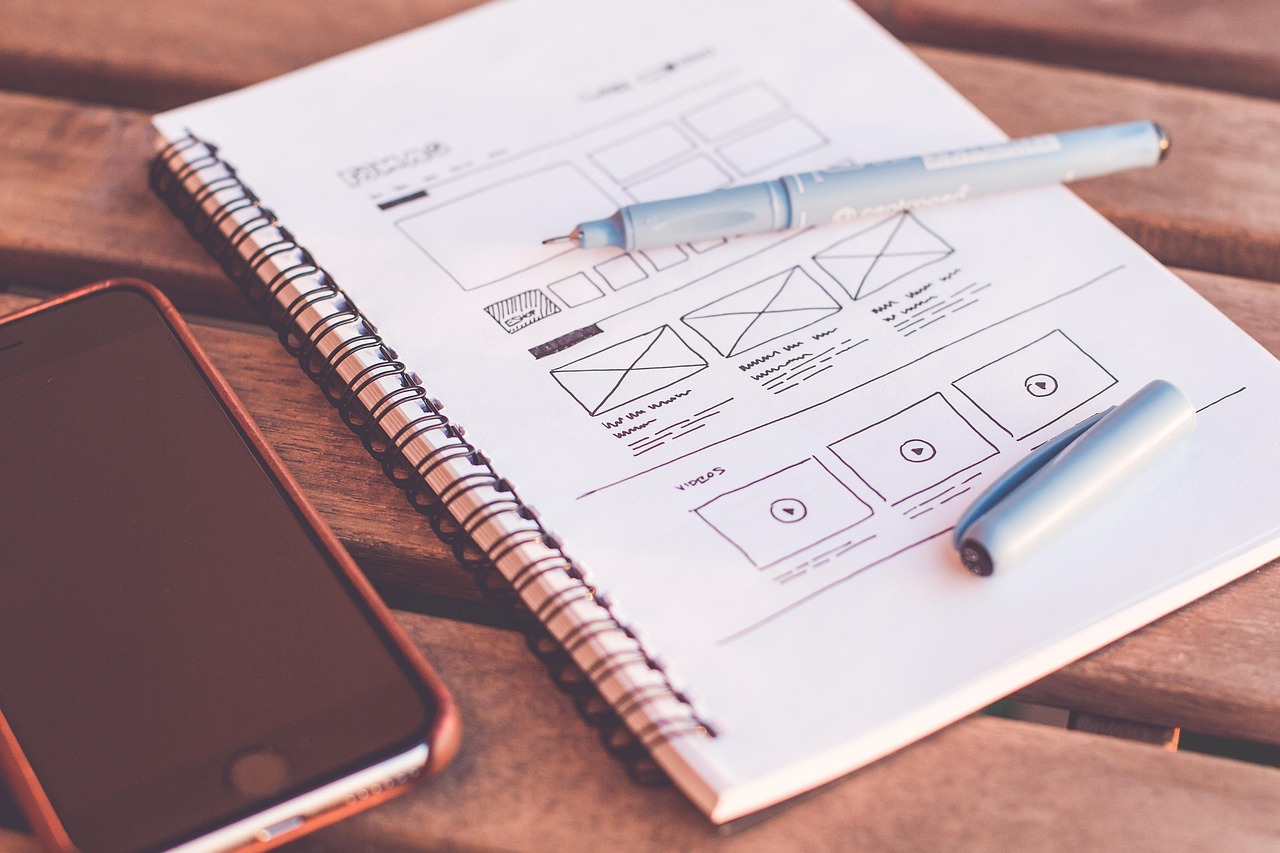
- Create a Professional Website: Your own website is your most important marketing asset. It should showcase your best work, clearly communicate your services, and provide easy contact information. Ensure the website is responsive, well-designed, and optimized for SEO.
- Showcase Your Best Work: Select your most impressive projects for your portfolio. Include detailed descriptions of the projects, highlighting your role, the challenges you faced, and the results you achieved. Use high-quality screenshots or live demos.
- Online Portfolio Platforms: Supplement your website with online portfolio platforms like Behance or Dribbble. These platforms allow you to reach a wider audience of potential clients and collaborators.
- Social Media Marketing: Actively engage on social media platforms like LinkedIn, Instagram, and Twitter. Share your work, participate in industry discussions, and connect with potential clients and other designers.
- Build Your Brand: Develop a consistent brand identity – including logo, color palette, and tone of voice – across all your online platforms. This helps to create a memorable and professional image.
Phase 4: Marketing and Client Acquisition
Attracting clients requires a strategic marketing approach.
- SEO (Search Engine Optimization): Optimize your website and portfolio for relevant keywords. Target keywords like “web designer,” “responsive website design,” “WordPress theme development,” or “landing page design.” Utilize keyword research tools like SEMrush or Ahrefs to identify high-volume, low-competition keywords. Focus on on-page and off-page optimization techniques.
- Content Marketing: Create valuable content that showcases your expertise and attracts potential clients. This could include blog posts, articles, tutorials, case studies, or video content. Topics could include website design tips, SEO best practices, or industry trends.
- Paid Advertising: Consider using paid advertising platforms like Google Ads and Facebook Ads to reach a wider audience. Target your ads to specific demographics and interests. Track your results carefully and optimize your campaigns for maximum ROI.
- Networking: Attend industry events, join online communities, and connect with other professionals in your field. Networking can lead to valuable referrals and partnerships.
- Freelance Platforms: While moving toward passive income, using freelance platforms like Upwork and Fiverr can provide initial clients and build portfolio credibility. Price your services competitively to attract initial clients.
Phase 5: Automating Income and Scaling
Once you’ve established a consistent income stream, focus on automating processes and scaling your business.
- Automated Email Marketing: Set up automated email sequences for lead nurturing and client onboarding. Use email marketing platforms like ConvertKit or Mailchimp to send targeted emails based on user behavior.
- Pre-built Packages: Offer pre-defined packages of services to streamline the sales process and reduce the amount of time spent on quote preparation.
- Outsourcing: As your business grows, consider outsourcing tasks like website maintenance, customer support, or marketing to free up your time for higher-level activities.
- Affiliate Marketing: Promote related products or services (e.g., hosting providers, design tools) and earn a commission on sales.
- Create Online Courses: Package your knowledge into online courses about web design. Platforms like Teachable and Udemy make this relatively easy to implement, creating a stream of passive income.
Tools & Resources:
- Code Editors: Visual Studio Code, Sublime Text, Atom
- Design Tools: Figma, Sketch, Adobe Creative Suite
- Prototyping Tools: InVision, Marvel
- Website Builders: WordPress, Webflow, Squarespace
- SEO Tools: SEMrush, Ahrefs, Google Search Console
- Email Marketing: Mailchimp, ConvertKit, ActiveCampaign
- Project Management: Asana, Trello, Monday.com
Successfully transitioning from web design services to passive income requires dedication, consistent effort, and a willingness to continually learn and adapt. By following this step-by-step guide, you can build a sustainable and rewarding online business that provides financial freedom and creative fulfillment. Remember to focus on providing high-quality products and services, building a strong brand, and consistently marketing your offerings.